Remote Monitoring and Management (RMM) platforms have long stood as double-edged swords in contemporary enterprise IT environments. Designed to afford system administrators seamless remote control, software deployment capabilities, and real-time maintenance tools across thousands of endpoints, these administrative platforms also represent high-value targets for malicious threat actors. When an attacker gains control over an enterprise RMM framework, they effectively acquire the keys to the digital kingdom, possessing elevated execution capabilities across every endpoint attached to that management console.
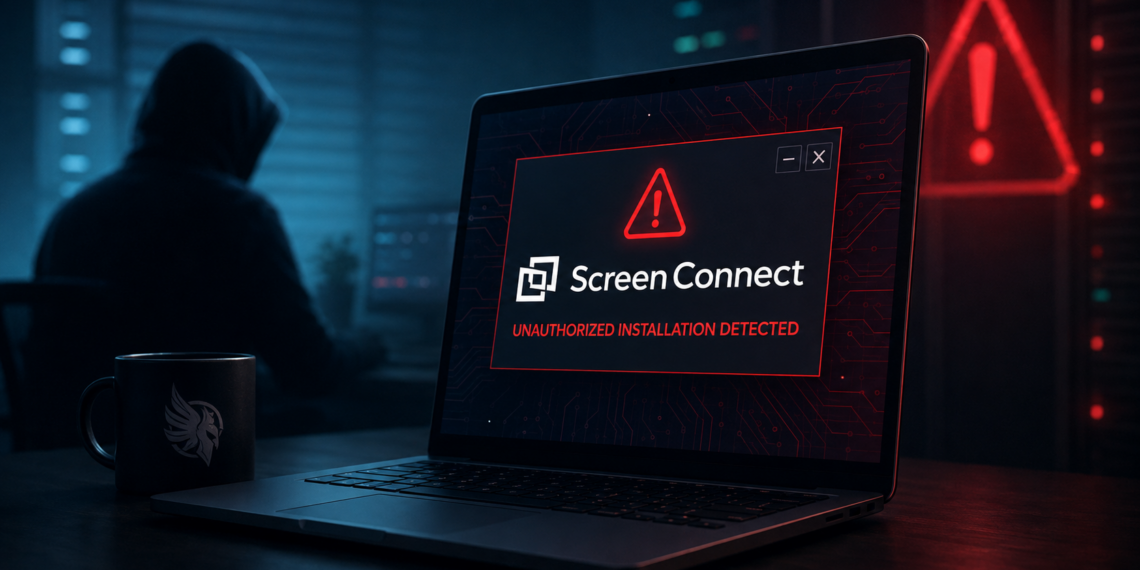
In recent cybersecurity developments, researchers at Huntress disclosed details surrounding a complex campaign abusing ConnectWise ScreenConnect—one of the industry's most widely adopted RMM and remote support utilities. The campaign involves rogue ScreenConnect client instances being leveraged to distribute a multi-stage Visual Basic Script (VBScript) payload to newly connected endpoint hosts. Demonstrating worm-like propagation behavior once inside a target infrastructure, this campaign illustrates how threat actors are refining their tactics by blending social engineering, legacy scripting engines, and trusted administrative channels to move laterally without triggering standard endpoint defenses.
Diverse Initial Access Vectors: From Support Scams to Phishing
What makes this recent campaign particularly dangerous is the operational agility demonstrated by threat actors during the initial compromise phase. Rather than relying on a single entry vector, security researchers observed adversaries employing multiple distinct methods to gain their initial foothold, tailoring their delivery mechanism based on the target profile and opportunity.
One prominent vector identified in the wild involves the weaponization of Microsoft Quick Assist—a native Windows utility intended for remote technical assistance. Threat actors conduct targeted tech-support scams, cold-calling or messaging corporate employees while impersonating legitimate internal IT service desk staff or external technical support representatives. By convincing unsuspecting users to grant them remote control through Quick Assist, the attackers manually establish a persistent foothold by installing a rogue ScreenConnect client directly onto the system.
In parallel incidents, threat actors deployed malicious Windows Installer (.MSI) files delivered via targeted spear-phishing campaigns. These installers are typically disguised as critical software updates, corporate productivity tools, or specialized utility installers. Once executed by an end-user, the MSI package quietly registers and configures a rogue ScreenConnect instance in the background, reaching out to attacker-controlled command-and-control (C2) infrastructure.
Additionally, researchers tracked drive-by download operations using fake software distribution sites. Users searching for common business software were redirected to compromised web properties hosting trojanized installers. Regardless of the specific initial delivery channel—be it phone-based social engineering, malicious email attachments, or web-based downloads—the ultimate objective of the initial stage remains identical: establish an unmonitored ScreenConnect client connection back to adversary-controlled management relays.
Anatomy of the Four-Stage VBScript Execution Chain
Once a rogue ScreenConnect client successfully connects to the host system, the threat actor initiates an automated, four-stage payload execution pipeline. By leveraging ScreenConnect's native administrative capability to execute commands in the background under elevated privilege contexts (often system-level NT AUTHORITY\SYSTEM privileges), the attacker executes a stealthy script chain designed to evade signature-based detection mechanisms.
Stage 1: The Administrative Dropper
In the initial phase, the compromised ScreenConnect client receives a instruction from the adversary's management server to execute a localized shell command. This command acts as a light dropper, utilizing native Windows binaries—such as PowerShell or Command Prompt—to write a primary, highly obfuscated VBScript file into temporary user directories or system locations such as C:\ProgramData or C:\Users\Public.
Stage 2: Environment Staging and Persistence Setup
The second stage script performs initial environment checks to verify system configuration, active process lists, and installed security software. If environmental checks pass, the script establishes system persistence. It achieves this by creating scheduled tasks (schtasks.exe) set to trigger at system startup or user logon, or by modifying autorun registry keys (HKCU\Software\Microsoft\Windows\CurrentVersion\Run). This ensures that even if the active ScreenConnect session ends or the host reboots, the malicious scripting engine retains its execution foothold.
Stage 3: Payload Decryption and Memory Execution
During the third stage, the script processes its main operational logic. To bypass legacy antivirus detection, the underlying VBScript payload uses multi-layered encoding, combining Base64 encoding, character substitution arrays, and custom XOR routines. The third-stage VBScript decodes these string blocks in memory, reconstituting secondary executable payloads or shellcode blobs without writing unencrypted binaries directly to the physical disk.
Stage 4: Lateral Propagation and Worm-Like Spreading
The final stage introduces the most concerning characteristic of the attack: lateral propagation. Once fully activated, the script actively scans the compromised host's local network subnets and active session environments. It monitors for newly connected network interfaces, secondary management sessions, or newly joined administrative hosts. When a new system connects to the network or establishes an administrative relay session with the host, the script uses stolen credentials or active token impersonation to push the initial rogue client installer onto the newly visible endpoint, repeating the entire four-stage infection cycle automatically.
Why Threat Actors Leverage Legacy VBScript in Modern Environments
To many security professionals, the heavy reliance on Visual Basic Script (VBScript) in a contemporary cyberattack might seem outdated. Microsoft has progressively deprecated legacy scripting hosts like cscript.exe and wscript.exe in favor of PowerShell and modern automation frameworks. However, threat actors intentionally choose VBScript precisely because of its legacy status and deep integration into legacy Windows architecture.
In many enterprise environments, administrative teams have heavily locked down PowerShell through policies like Constrained Language Mode (CLM), Script Block Logging, and Execution Policies. Conversely, wscript.exe and cscript.exe often sit in secondary monitoring zones, receiving less stringent real-time scrutiny from legacy Endpoint Detection and Response (EDR) platforms.
Furthermore, VBScript allows adversaries to execute commands directly through the Windows Script Host without launching external process trees that typically trigger heuristic alerting. When combined with legitimate administrative tools like ScreenConnect, the execution path appears to security monitoring tools as valid, benign administrative maintenance, creating a classic "Living off the Land" (LotL) execution flow.
Implications for Managed Service Providers and Enterprise Defenders
This malicious campaign poses profound operational challenges, particularly for Managed Service Providers (MSPs) and internal IT departments managing large-scale remote operations. MSPs rely heavily on central management platforms to service hundreds of downstream client networks simultaneously. If an adversary successfully implants rogue ScreenConnect clients within an MSP's broader management framework, the trust relationship established between the MSP and its client environments becomes a primary vector for widespread enterprise supply chain compromise.
Because the attacker leverages valid client components, conventional signature-based antivirus solutions struggle to identify the malicious activity during early stages. The primary anomaly is not the presence of the ScreenConnect executable itself—which is signed and legitimate—but rather the operational context under which the application was installed and how it interacts with background scripting engines.
Defending Against Abuse of Trusted Remote Tools
Mitigating attacks that weaponize legitimate management utilities requires a fundamental pivot from simple binary whitelisting to strict behavioral analysis and zero-trust administrative architectures.
First, organizations must enforce tight controls surrounding remote access and remote assistance tooling. Blocking unauthorized remote access software—including unapproved installations of ScreenConnect, Quick Assist, AnyDesk, and TeamViewer—at the network perimeter and endpoint level prevents initial access through tech-support scams.
Second, security operations teams must implement robust command-line and process-creation monitoring. Endpoint logs should specifically track instances where ConnectWise.ClientService.exe or equivalent RMM binaries spawn command interpreters (cmd.exe, powershell.exe, wscript.exe). In healthy environments, scripts executed by remote monitoring utilities should strictly adhere to known administrative baselines and pre-approved deployment windows.
Third, enterprises should accelerate plans to restrict or completely disable legacy Windows Script Host engines (wscript.exe and cscript.exe) across non-administrative workstations using AppLocker or Windows Defender Application Control (WDAC). Disabling VBScript execution outright neutralizes the third and fourth stages of this specific attack vector.
Finally, implementing explicit network segmentation between administrative management networks and general end-user subnets ensures that even if an endpoint falls victim to a rogue client, the lateral propagation engine cannot automatically discover and target adjacent enterprise systems.